Learning
Learning queue.
Save books, articles, videos and courses. Capture links from phone, browser or agent.
 Pyxida
Get Pyxida
Pyxida
Get Pyxida
Early access · v0.1
Tasks, calendar, notes, money and passwords in plain files on your computer. Works offline. Your AI agent understands everything.
macOS, Windows, Linux · 14-day trial · free early access keys
In Pyxida: Settings > AI agents > Install command line tool. Then pyxida today
$ pyxida today
Saturday 2026-10-10 (today)

Work
ID          DAY         TIME  AREA  TASK
t-bbbb2222  2026-10-09        work  Send invoice
Real CLI excerpts. Fictional workspace.
Saturday 2026-10-10 (today) Work ID DAY TIME AREA TASK t-bbbb2222 2026-10-09 work Send invoice Sunday 2026-10-11 (tomorrow) ID WHEN EVENT e-aaaa1111@2026-10-11 2026-10-11 09:30 Team stand-up e-bbbb2222@2026-10-11 2026-10-11 13:00 Acme launch planning Work ID DAY TIME AREA TASK t-aaaa1111 2026-10-11 work Review homepage copy Personal ID DAY TIME AREA TASK t-cccc3333 2026-10-11 personal Book dentist appointment { "now": { "date": "2026-10-10", "time": "17:11", "timezone": "Europe/Athens", "weekday": "Saturday" }, "result": { "created": true, "path": "Meetings/2026-10-10 Acme launch planning.md", "title": "2026-10-10 Acme launch planning" } }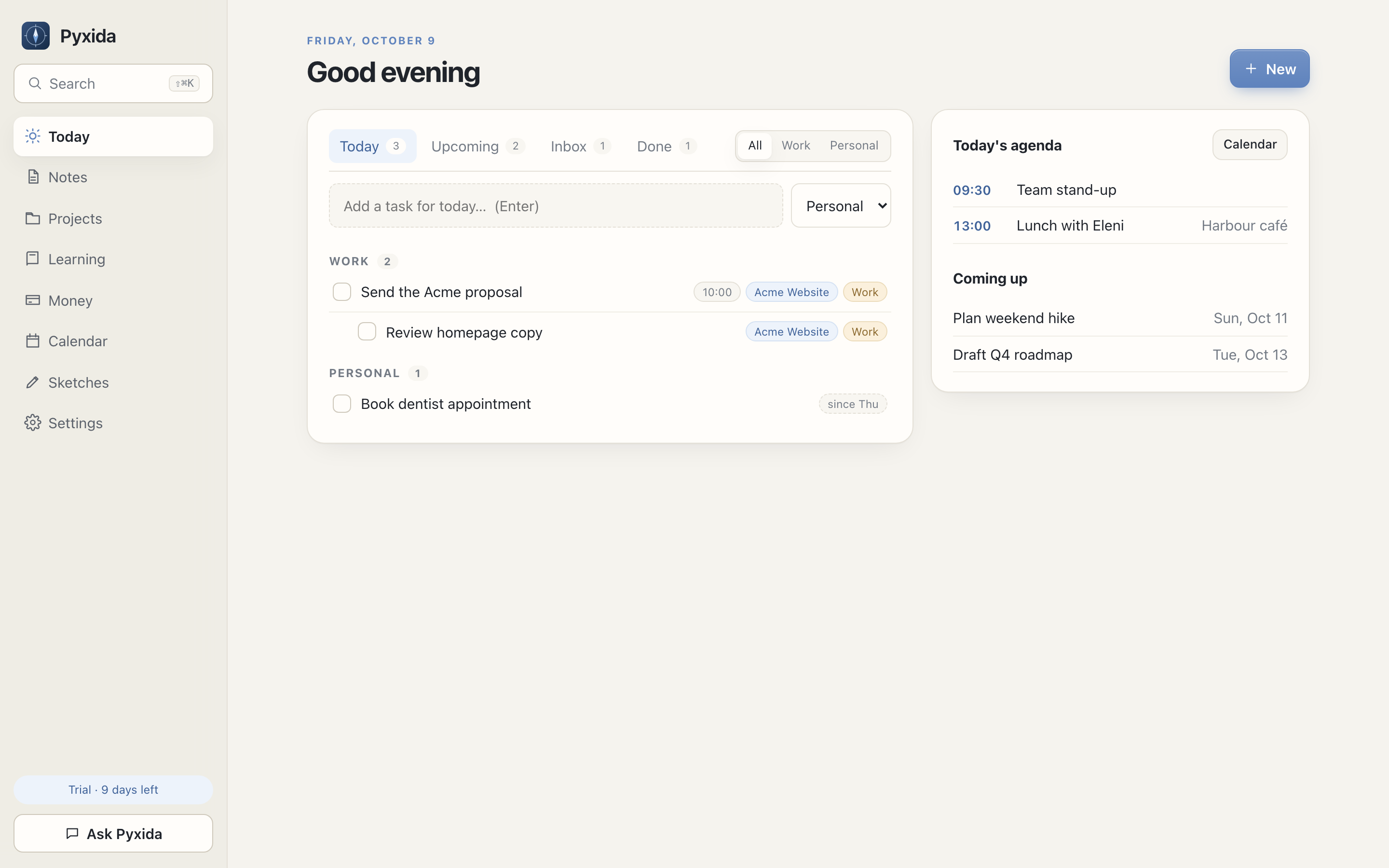
Early access
Download starts a 14-day trial. During early access, approved requests get a free key. Expect bugs and changes. Keep a backup.
Launch price: €29.99 once for desktop. Sync: €4.99/month or €44.99/year.
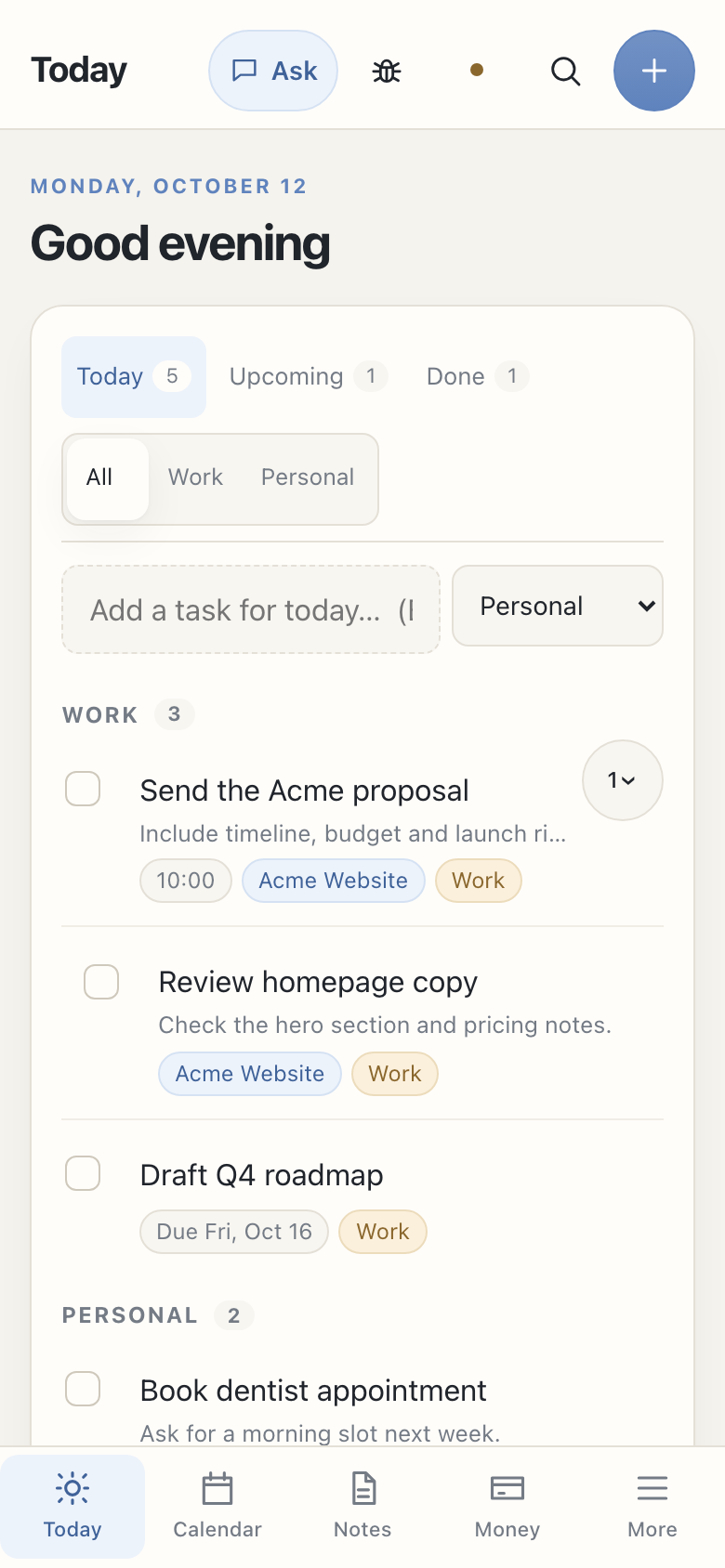
Today
Tasks, optional descriptions, deadlines, subtasks, repeats and quick capture stay in one daily view. Move a task to another parent or area any time.
Themes
Light, Dark, Sepia, Midnight and Terminal, a green-on-black console look. Pick a text size and a sans, serif or mono font too.
Notes
Write Markdown with preview, Vim keys, wiki links, system clipboard yank and an optional Wrap lines setting. Drag the sidebar, notes list and preview split to fit your screen.
Calendar
Mac, Google, subscribed and local events together. Create and edit Google events from Pyxida. Monday-first weeks, month arrows, year jumps, Join links and meeting notes.
Money
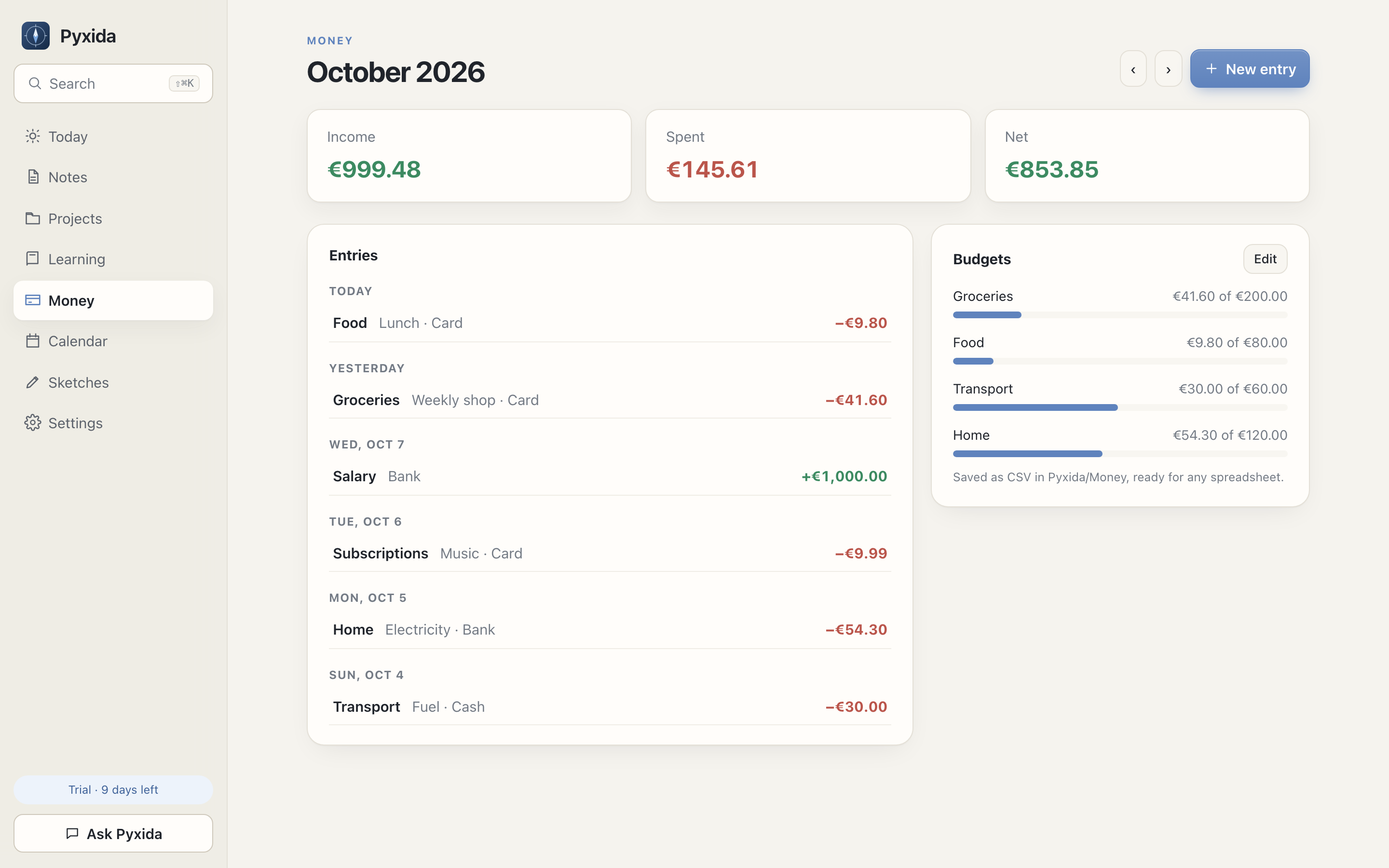
Track Personal and Business books, budgets, categories, savings goals, accounts and net worth. Expenses lower their account right away, transfers move money between accounts, and each account shows its trend over recent months. Hide amounts with the eye button and show them with your Vault master password. Everything is CSV.
Version history
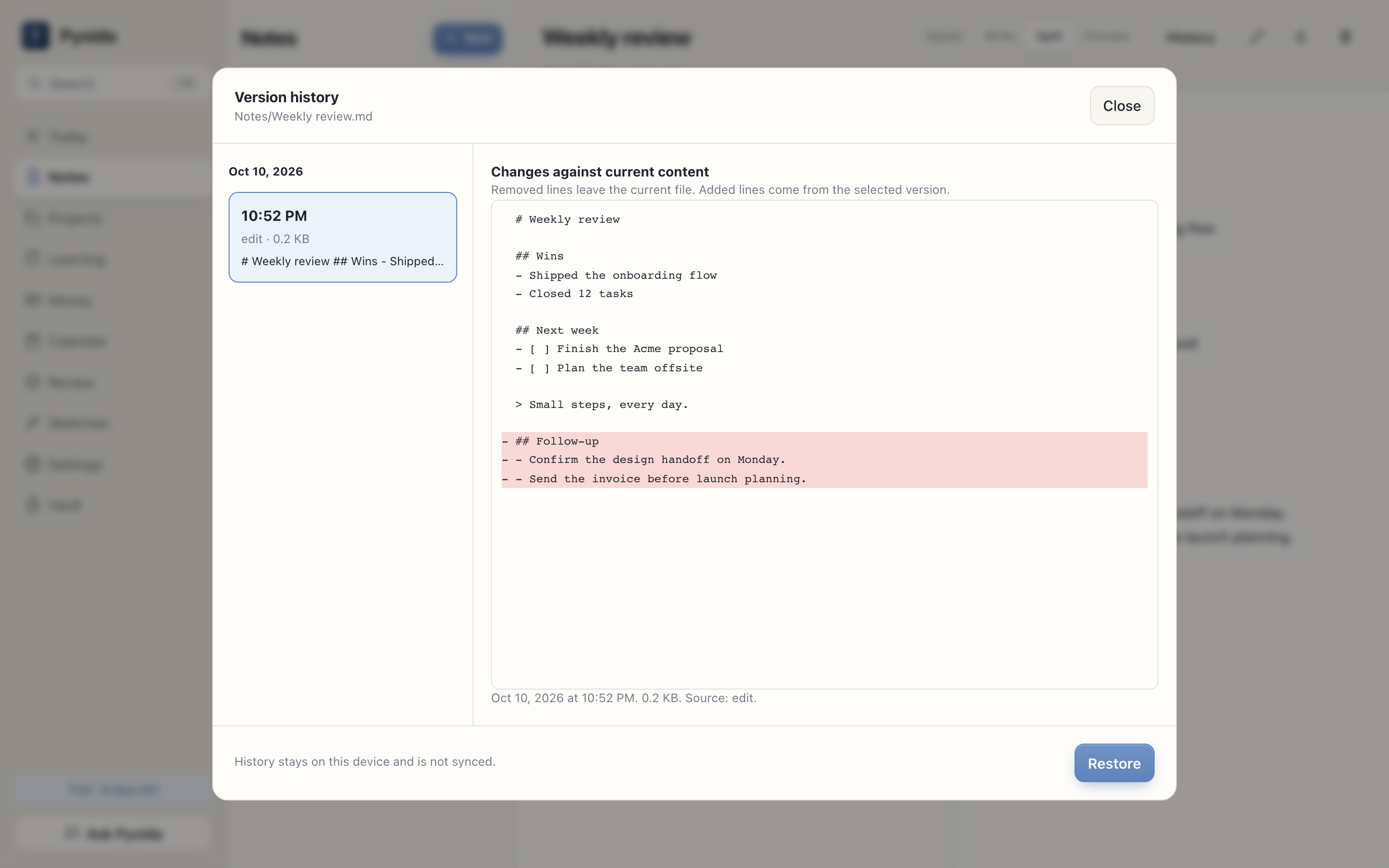
Compare, restore and recover notes. Optional automatic backups save a zip of your workspace to a folder you choose. Agents can restore only with write permission.
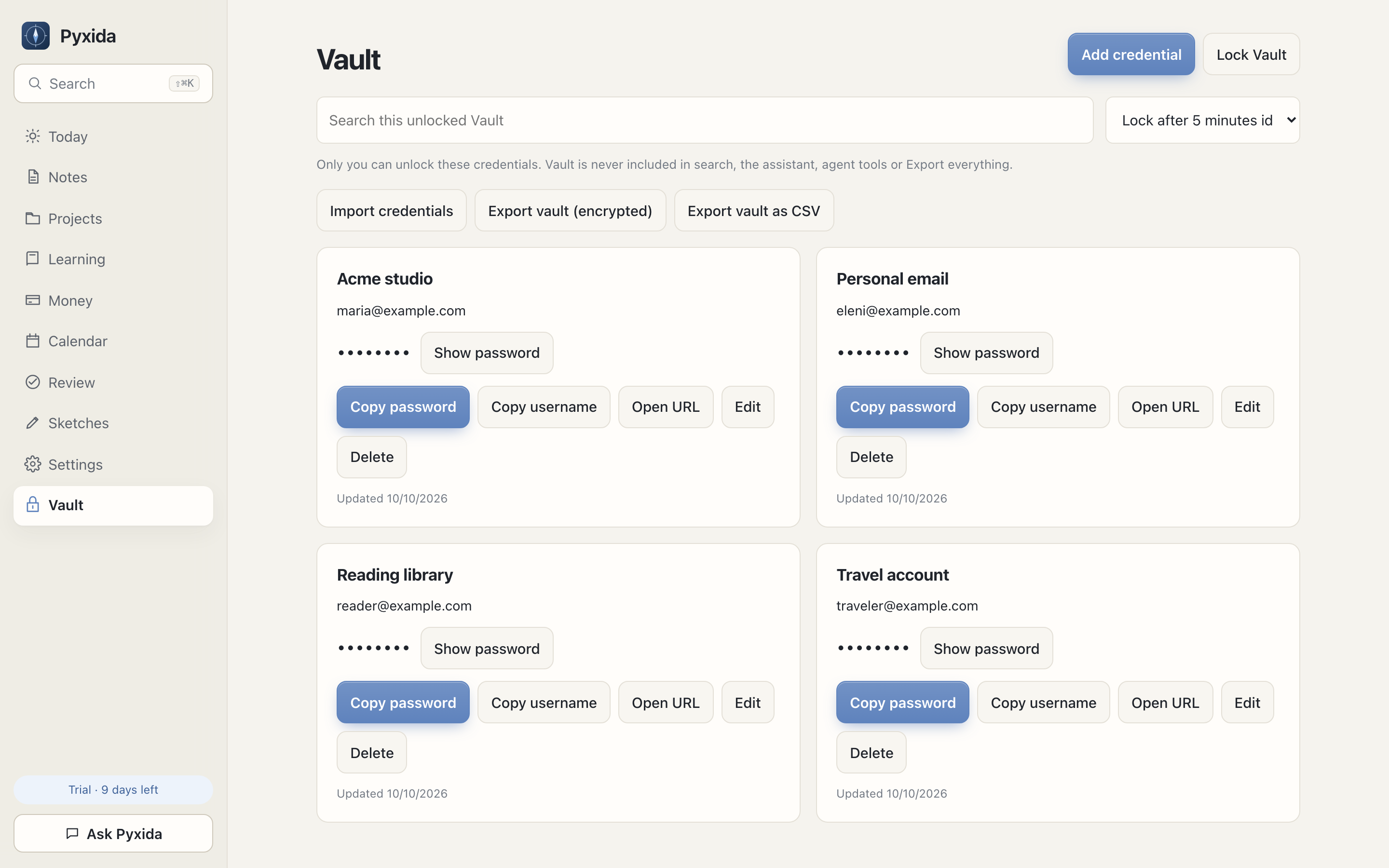
Encrypted Vault
Passwords and 2FA stay behind a master password. Agents and Ask Pyxida never see them.
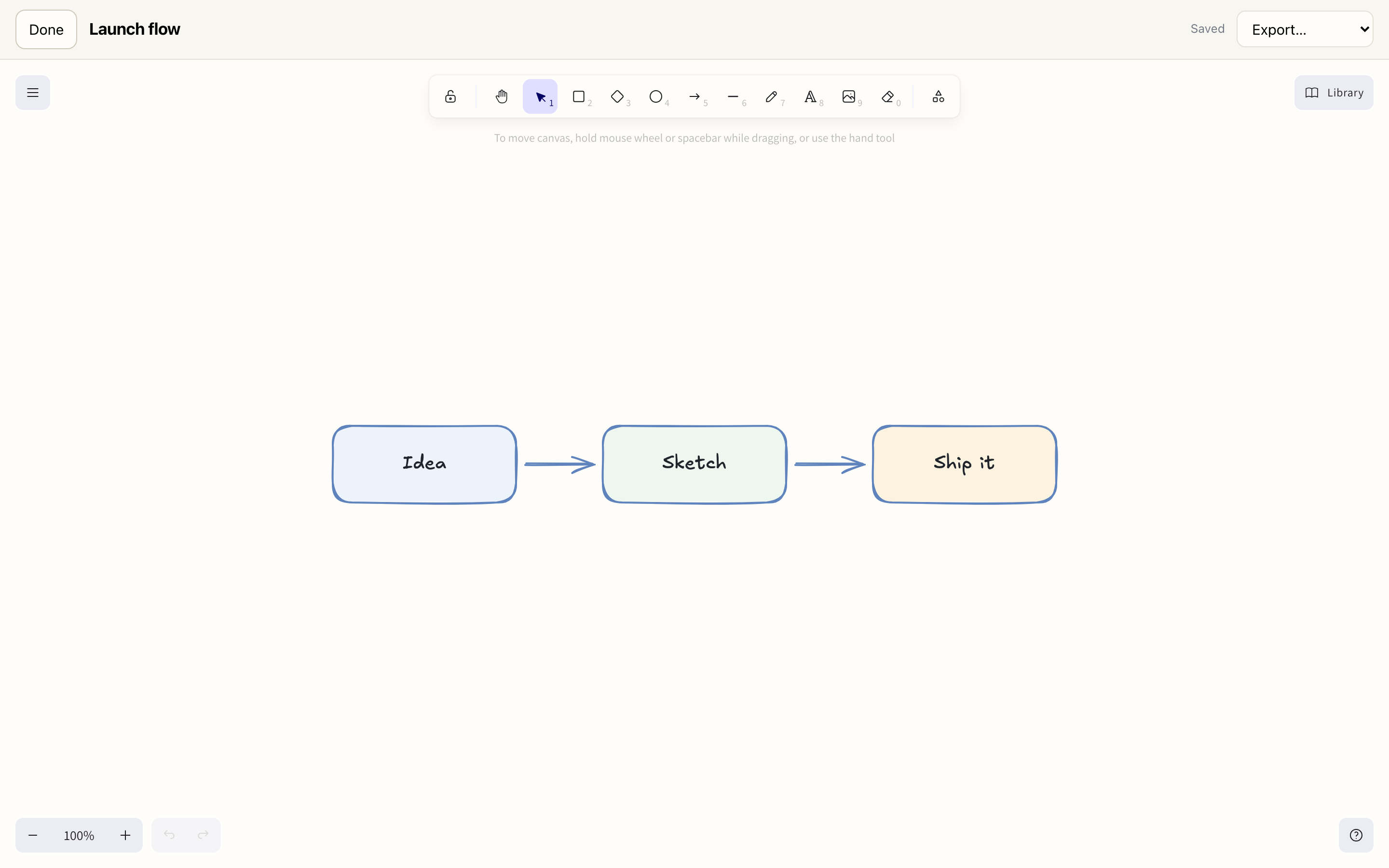
Sketches
Draw Excalidraw canvases, attach them to notes, export PNG, SVG or .excalidraw.
Ask Pyxida
Ask about your day, spending, notes or local weather. It can search the web with sources when you allow it, and follows your instruction files. You approve every change. Use your AI key or Ollama.
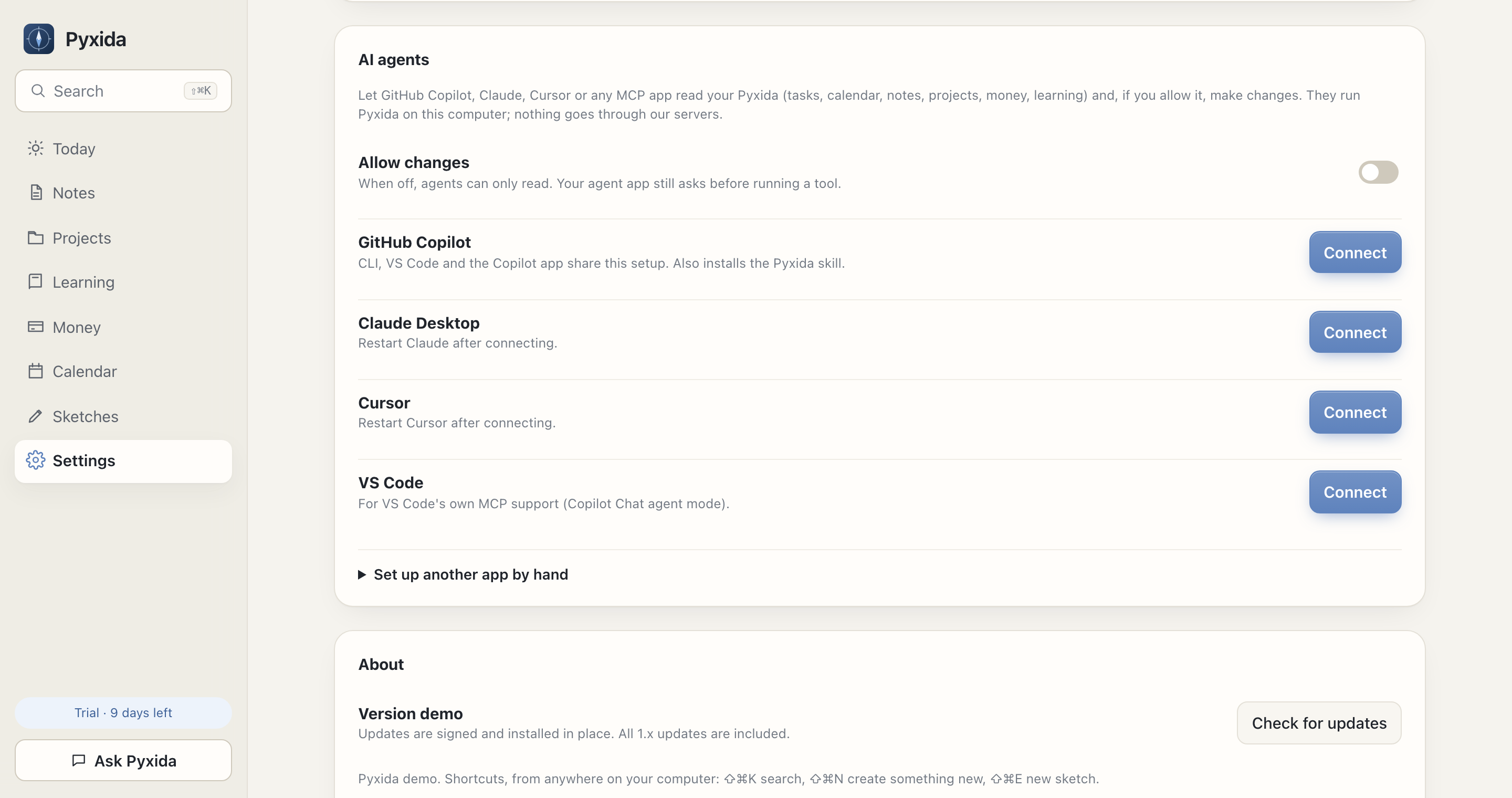
AI agents
The pyxida CLI and MCP share 73 tools for tasks, events, notes, money, capture and history. They follow the same Markdown instruction files as Ask Pyxida.
Pyxida/Agent/*.md or chosen notes.Prefer MCP? Connect Claude, Copilot, Cursor or VS Code in one click.
Runs on your computer. Pyxida sends us nothing. Your agent provider may receive what it reads.
Agent setup guideOne workspace. CLI or MCP.
pyxida today
pyxida --json agenda --day tomorrow
pyxida --json tasks list --without-day
pyxida meeting-note EVENT_ID
pyxida note append Notes/Meeting.md -
pyxida --json tool list
Stable JSON. Current IDs. No windows opened.
Learning
Save books, articles, videos and courses. Capture links from phone, browser or agent.
Projects
Group tasks and Markdown notes by project. Each project page shows its linked notes, for work or personal plans.
Your files
Pyxida reads ordinary files. Back them up with Time Machine, Git, cloud storage or Sync.
My Workspace/
├── Notes/
│   ├── Launch planning.md
│   └── Acme kickoff.md
├── Ideas.md
└── Pyxida/
    ├── Tasks.md        - [ ] Send the proposal
    ├── Learning.md
    ├── Calendar.md
    ├── Projects/Acme Website.md
    ├── Money/2026.csv
    └── Sketches/launch-flow.excalidraw
Pyxida Sync · optional
Open pyxida.dev/app, unlock with your passphrase and keep going offline.
Download Pyxida
Start a 14-day trial without an account. Early access: expect bugs and changes. Keep a backup.
Universal .dmg · Apple silicon and Intel
Version and size available at launch
Coming soonFirst launch: if macOS says it can’t check the app, open System Settings > Privacy & Security and choose Open Anyway.
.msi or .exe installer
Version and size available at launch
Coming soonUnsigned build: SmartScreen > More info > Run anyway.
.AppImage or .deb package
Version and size available at launch
Coming soonAppImage: chmod +x Pyxida-linux.AppImage, then open it.
After install: Settings > AI agents > Install command line tool. Then pyxida today. Read the guide.
Global shortcuts. Sidebar in your order.
Pricing
€29.99 once. VAT included where applicable. Checkout opens at launch. Early-access keys are free during preview.
Optional add-on
Turn it on in Settings, Sync. Pyxida works without it.
Email within 30 days for a full refund.
You can read and export everything. Editing needs a trial, early-access key or license.
Desktop works offline without an account. Activation, updates, online calendars, remote AI and Sync use internet.
Yes. Notes are Markdown and tasks use Obsidian Tasks.
Without Sync, files stay on your computer. With Sync, they are encrypted before upload. AI providers may receive what you send or allow. Vault is excluded. Read privacy.
No. Ask Pyxida is optional and off until you add a provider. Web search has a Settings toggle. Use Ollama to keep AI local.
The demo runs in a browser with sample data. Your real workspace lives in the desktop app. Sync adds phone and browser access.
Yes. Agents use the pyxida CLI or MCP. There are 73 tools. Writes need Allow changes and an active trial, key or license. Vault is never accessible. See setup.
With Sync, open pyxida.dev/app, sign in and unlock with your passphrase. Add it to your home screen. It works offline.
Your device encrypts changes with AES-256-GCM before upload. Your passphrase never leaves. You can change the passphrase, and if you lose the recovery key, we cannot decrypt your data.
Desktop, files and local CLI/MCP keep working. The phone app needs Sync for your workspace. Export stays available.
Vault uses a separate master password. It holds passwords and 2FA, syncs only as ciphertext and is excluded from agents, Ask Pyxida, search and exports.