 Pyxida
Buy · €29
Pyxida
Buy · €29
For macOS, Windows and Linux · Try it in your browser
Everything you're juggling,
in one calm place.
Notes, tasks, projects, calendar, money and sketches. Saved as plain files in a folder you own, so it works offline, plays nicely with Obsidian and never locks you in.
14-day free trial · No account · No subscription
Today
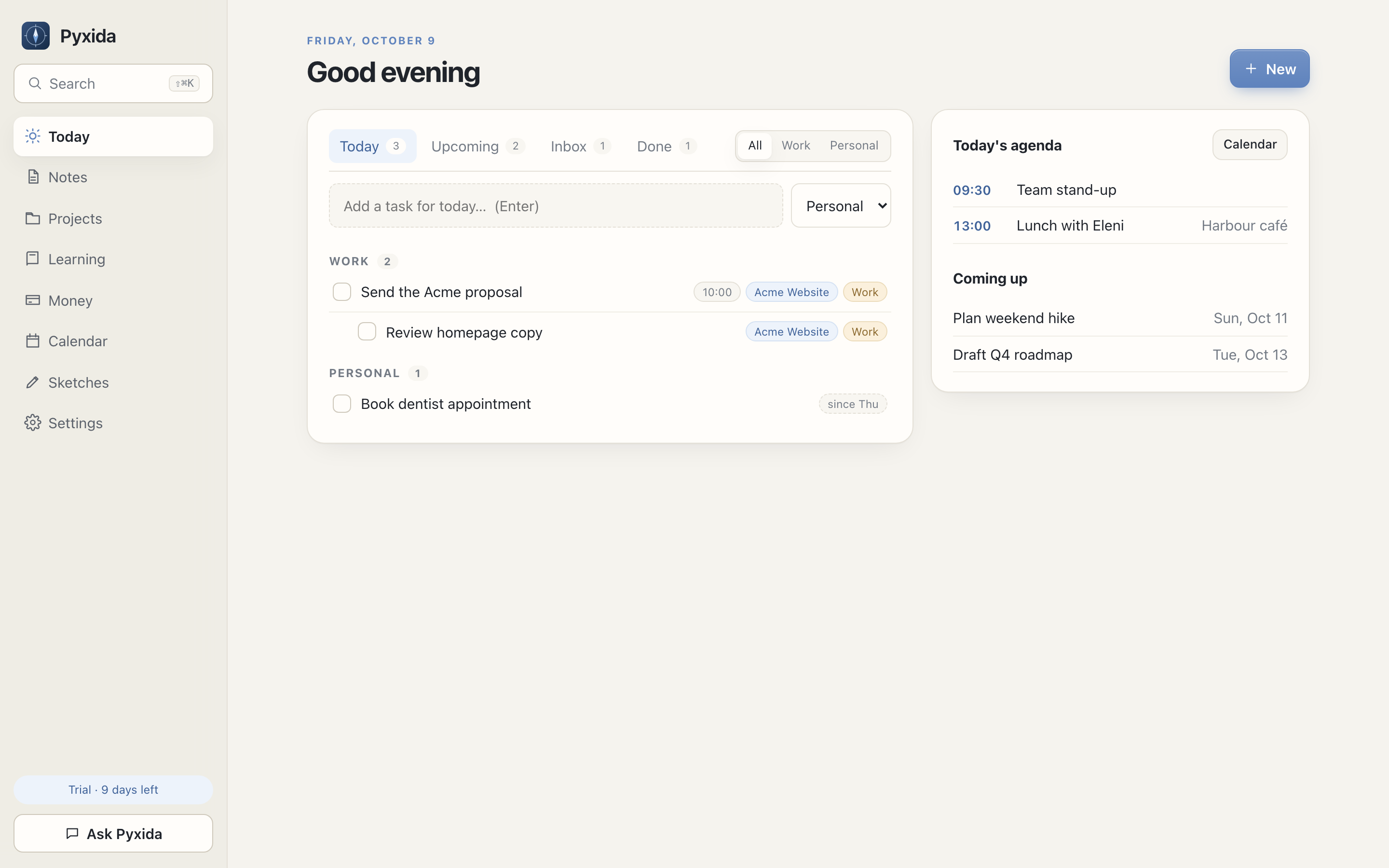
Start every day knowing what matters.
Tasks due today, what's coming up and your agenda, side by side. Capture a task, note, expense or event in a second with ⇧⌘N from anywhere.
Notes
Write in Markdown. See it beautifully.
A fast editor with live preview, optional Vim keys and wiki links. Every note is a normal .md file, so your existing Obsidian vault just works.
Calendar
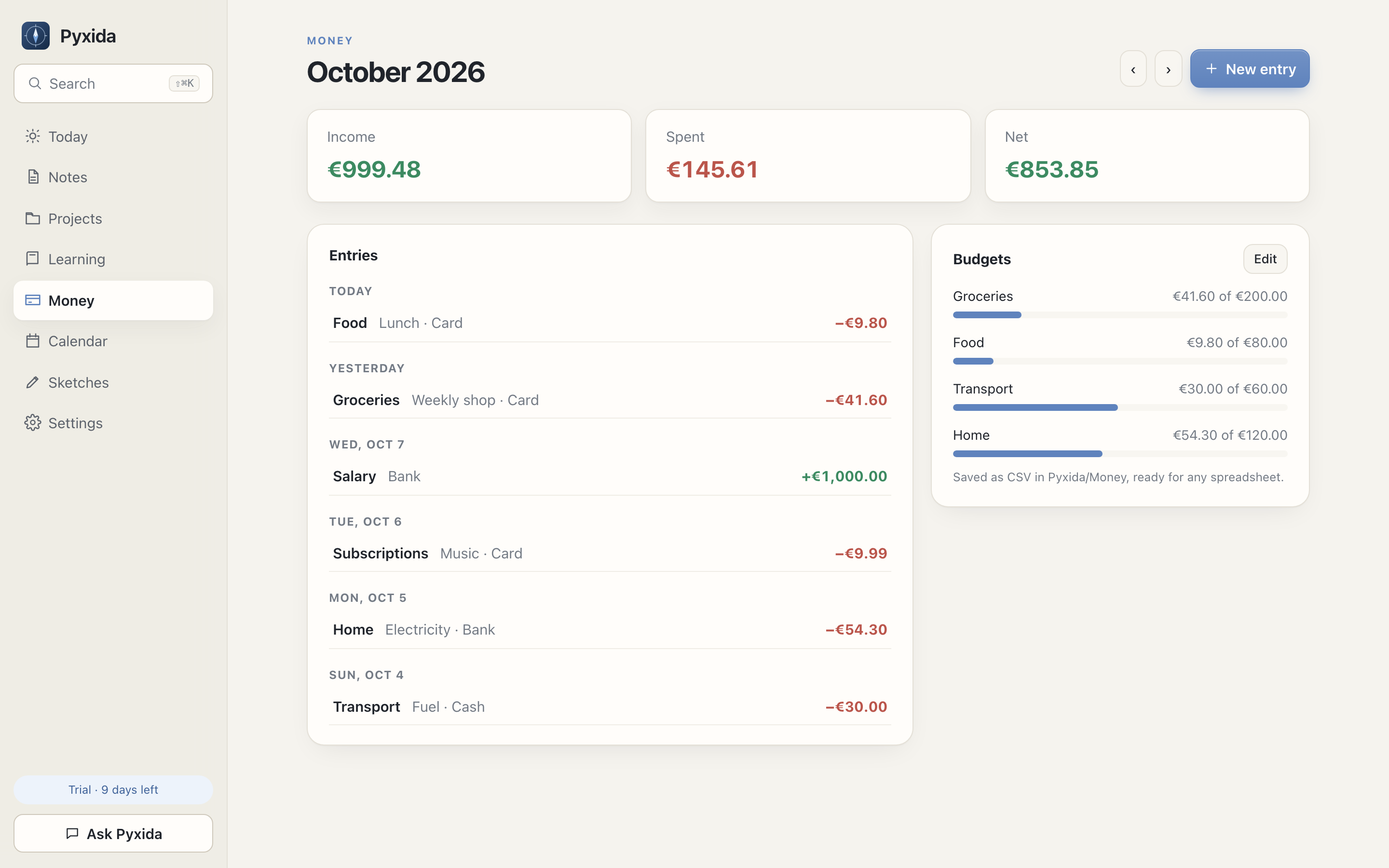
All your calendars, one view.
Connect Google Calendar, subscribe to Outlook or iCloud links, or keep events right in your folder. Two weeks at a glance.
Money
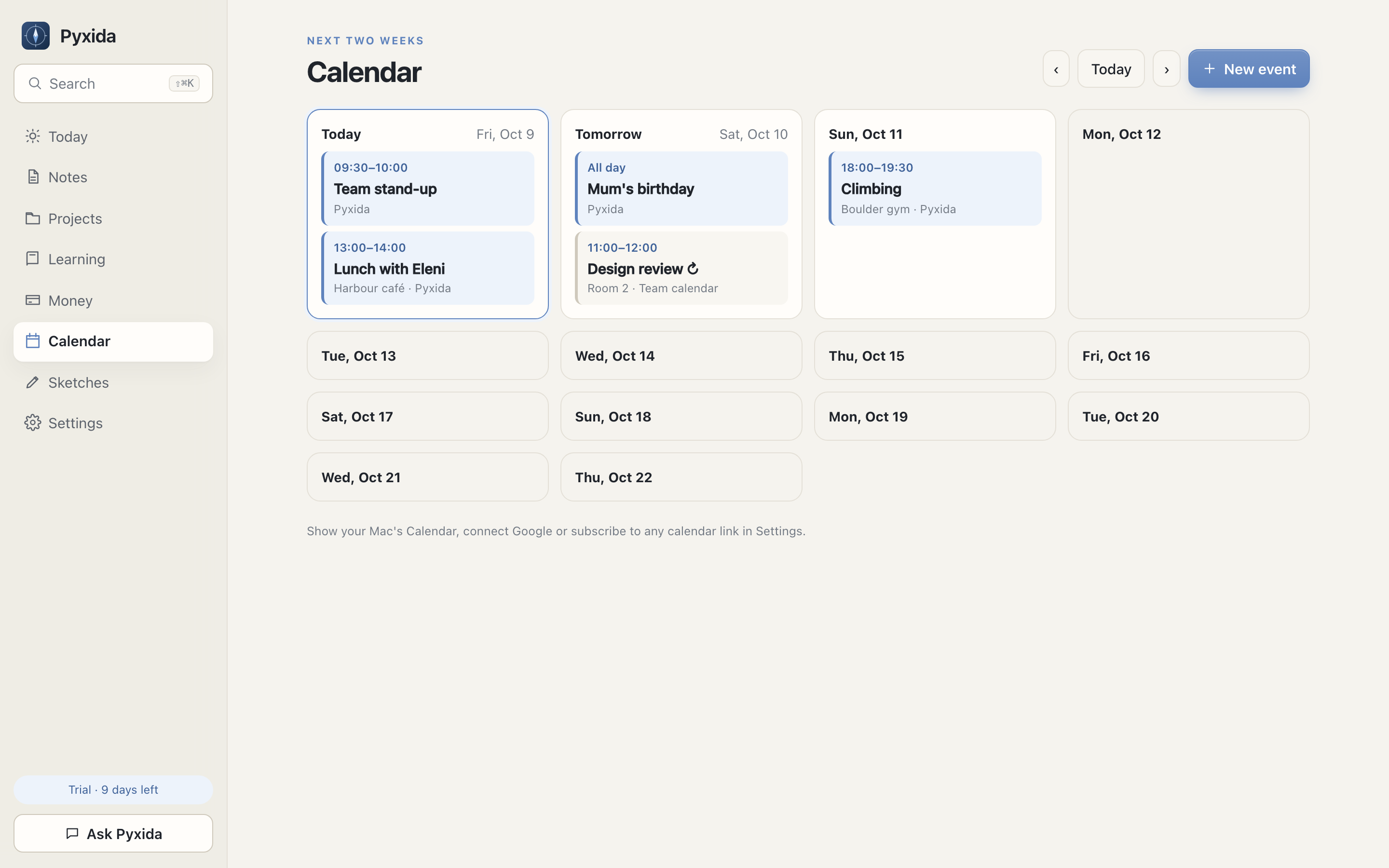
Know where it went. Without a bank login.
Log income and expenses in seconds, set monthly budgets and watch them fill. It's all CSV, ready for any spreadsheet.
Sketches
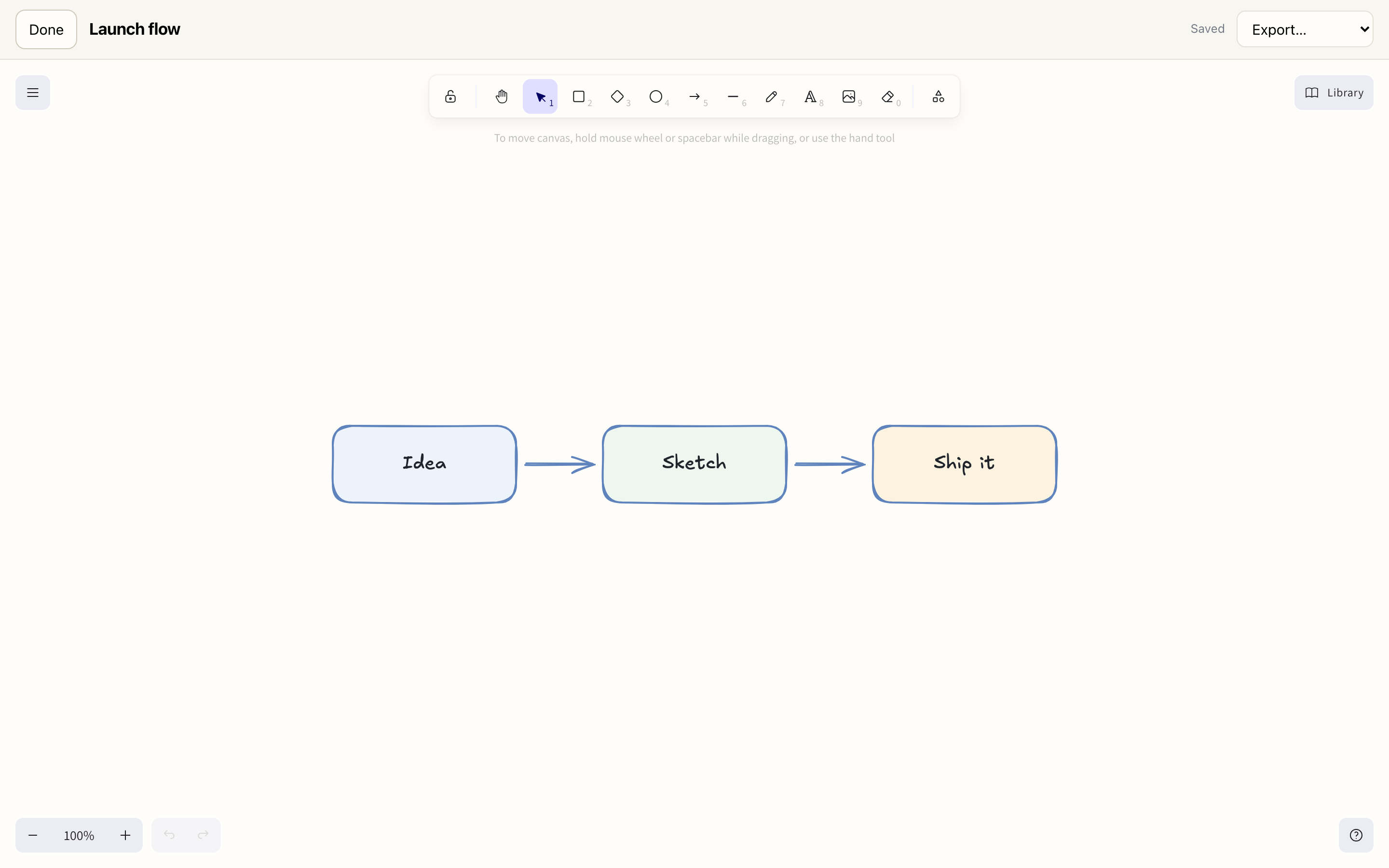
Think on a canvas.
A built-in Excalidraw canvas for flows, diagrams and doodles. Attach sketches to notes and export PNG, SVG or .excalidraw.
Ask Pyxida
An assistant that asks before it acts.
Ask about your day or say “remind me to call the plumber tomorrow”. Pyxida proposes the change and you approve it. Use your own OpenAI-compatible key, or a local model.
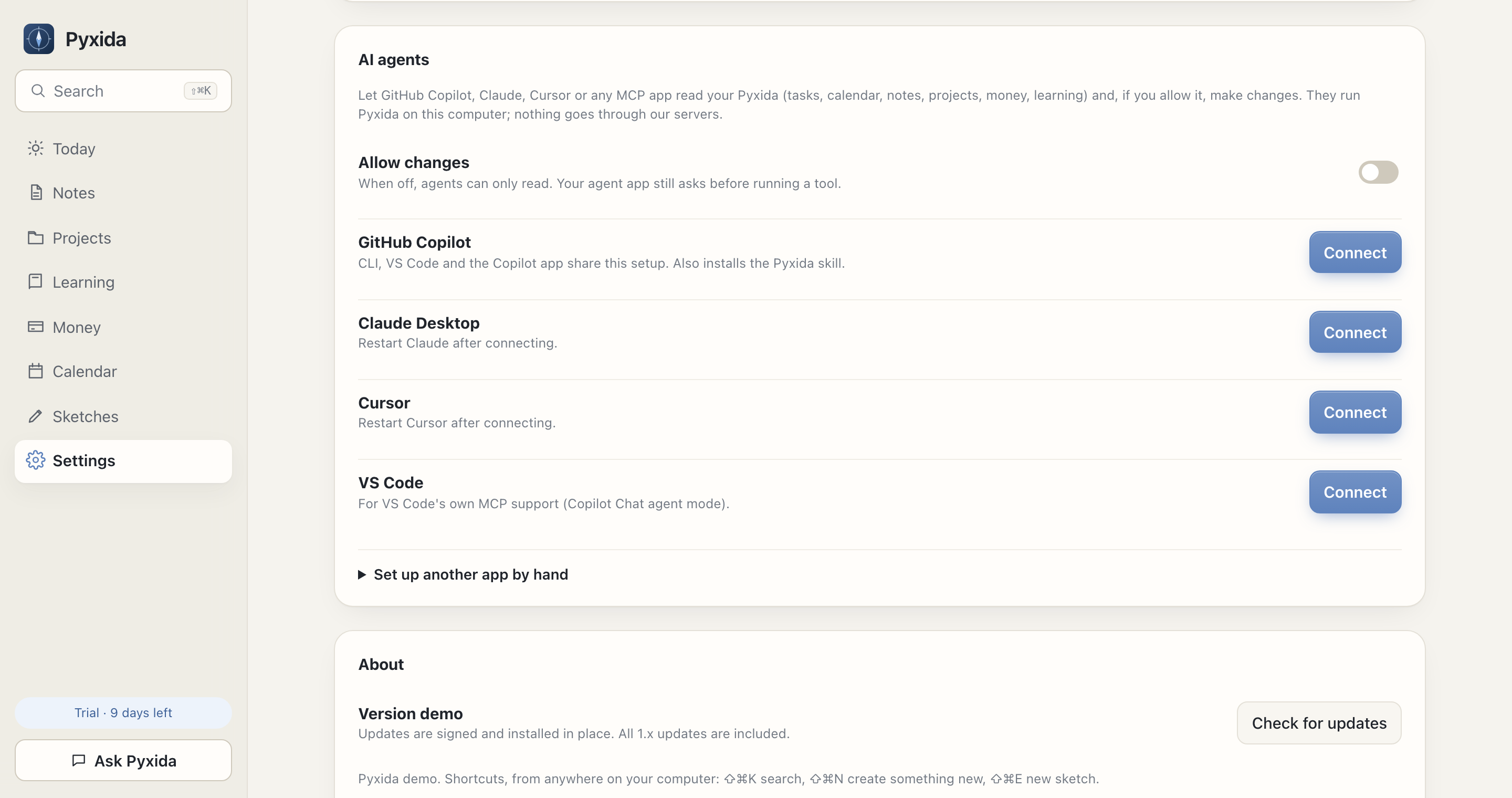
AI agents
Your AI agent knows your day.
Pyxida speaks MCP, the open standard AI apps use for tools. Connect GitHub Copilot, Claude, Cursor or any MCP app, and it can look up your calendar, tasks, notes and money, and, if you allow it, add and update things for you.
- Copy the setup from Settings > AI agents.
- Paste it into your agent app's MCP config.
- Ask away. Changes stay off until you turn them on.
Runs on your computer. Pyxida never sends your data to us; your agent app handles what it reads, under its own terms.
Setup guide for macOS, Windows and LinuxWhat's on my plate tomorrow?
pyxida · get_agenda range: tomorrow
Tomorrow you have the Team stand-up at 09:30 and lunch with Eleni at 13:00. Work: send the Acme proposal. Personal: plan the weekend hike.
Add "book the dentist" for Friday, personal.
pyxida · create_task Book the dentist · due: friday · personal
Done. It's in your Today list for Friday.
Will I need an umbrella this weekend?
pyxida · get_weather range: weekend
Saturday looks dry, 16 to 24°C. Sunday has a 70% chance of rain, so yes, take one.
Your files
No database. Just a folder.
Pyxida reads and writes ordinary files you can open with anything. Sync them with iCloud, Dropbox, Syncthing or Git. Back them up however you like.
- Tasks use the Obsidian Tasks format
- Money is plain CSV
- Edits from other apps are never overwritten
- Export everything as a .zip, even after the trial
My Workspace/
├── Notes/
│   ├── Weekly review.md
│   └── Acme kickoff.md
├── Ideas.md
└── Pyxida/
    ├── Tasks.md        - [ ] Send the proposal
    ├── Learning.md
    ├── Calendar.md
    ├── Projects/Acme Website.md
    ├── Money/2026.csv
└── Sketches/launch-flow.excalidrawPricing
Buy once. Keep it.
- Every feature, no tiers
- All 1.x updates included
- Up to 3 of your devices
- macOS, Windows and Linux
- 14-day free trial first
Prices include VAT where applicable. Secure checkout by Lemon Squeezy. 30-day money-back guarantee.
Questions
What if it isn't for me?
Email us within 30 days of buying and you get a full refund, no questions asked.
What happens after the trial?
Everything stays readable and you can export all of it. Editing needs a license. Your files are always yours, in plain formats.
Do I need an account or internet?
No. Pyxida works offline and has no account. The internet is only used for things you turn on: calendar sync, your AI provider, update checks and activating your license once.
Does it work with Obsidian?
Yes. Point Pyxida at your vault. Notes are regular Markdown and tasks use the Obsidian Tasks format.
Who sees my data?
Only you. Your notes, tasks, projects, money and sketches are files on your computer. There is no Pyxida account and no Pyxida cloud, so nothing is uploaded to us or anyone else. The app only goes online for things you switch on: syncing a calendar, activating your license and checking for updates.
Do I need AI?
No, Ask Pyxida is optional and off until you add a provider. If you use it, only the messages you send, with the bit of context they need (like today's tasks), go straight from your computer to the provider you picked, such as OpenAI or OpenRouter. Pick a local model like Ollama and even that never leaves your computer.
Can I sync between computers?
Put your workspace folder in iCloud Drive, Dropbox, OneDrive, Syncthing or Git. Pyxida detects edits from elsewhere and never overwrites them silently.
Can I use it in a browser?
You can try the whole app in your browser right now with sample data, no install or sign-up. Your own workspace runs in the desktop app, because only a desktop app can safely read and write a folder on your computer in every browser and OS.
Can my AI agent use it?
Yes. Pyxida includes an MCP server, so GitHub Copilot, Claude, Cursor and other MCP apps can look up your tasks, calendar, notes and money, and, if you allow it in Settings, add and update things. Copy the setup from Settings, paste it into your agent and you're done.
What about phones?
Pyxida is a desktop app today. Because your data is plain files, mobile Markdown apps can read and edit it too.